VS Code themed portfolio and platform lab
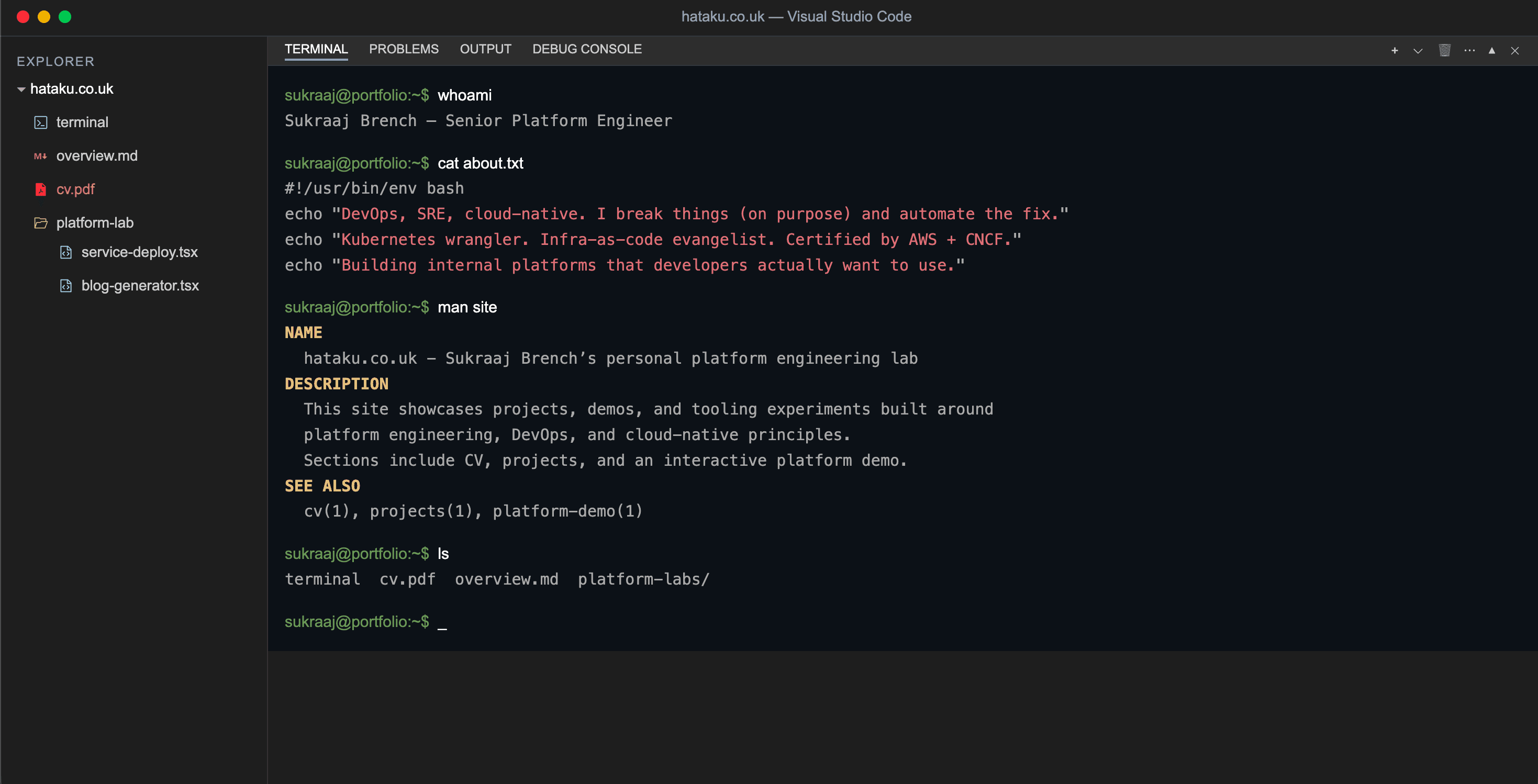
A VS Code styled portfolio site with interactive platform demos focused on workflow, safety boundaries, and user experience.
Highlights
- •Interactive Kubernetes based deployment demos
- •Strong guardrails and safety boundaries
- •VS Code inspired UI and navigation
Hataku is my portfolio site built with Next.js and styled to feel like Visual Studio Code. It is intentionally simple to navigate and it keeps everything in one place, with a terminal style landing page, a written overview, and an embedded CV viewer.
Alongside the portfolio content it includes a small platform lab. This is a set of interactive demos that show how I think about platform engineering, user experience, and safety boundaries. The demos let a visitor deploy short lived workloads into an isolated Kubernetes namespace and view the result in the browser. The focus is on the workflow and the guardrails rather than exposing infrastructure detail.
What it demonstrates
The site is designed to showcase practical platform patterns in a way that is approachable for non specialists
- A VS Code style shell with a sidebar, tabs and panels that mirror how engineers actually work
- Two deployment demos that take structured user input and turn it into a repeatable deployment
- Live preview with status polling so users can see progress and outcomes without needing cluster access
- Authentication and session handling so deployments are tied to a user session
- Cleanup behaviour so environments are short lived and do not linger
Platform lab demos
Mock API deploy
This demo lets a visitor define a small set of HTTP endpoints through a guided form. The deployment creates a temporary environment and returns a preview URL once the service is ready. Inputs are validated and the service is constrained to a narrow, safe shape.
The page also includes a terminal style panel that surfaces live information from the namespace the service is deployed into. This allows users to inspect deployments, pods, logs, and events in a controlled way without exposing direct cluster access.
Blog deploy from YAML
This demo starts from a provided YAML file and allows controlled edits. The YAML is validated against a schema before anything is deployed. Once deployed the blog is available through a preview link and the UI keeps track of readiness and lifecycle state.
How it is implemented at a high level
The front end is a Next.js app using server routes for the deployment APIs. Deployment requests trigger a workflow that performs the cluster side work. The UI polls for readiness and surfaces a simple status view and a preview once the environment is available.
To keep things safe and stable the system applies clear boundaries. Concurrency is limited, deploys are rate limited using short lock periods, inputs are validated, and destructive operations are restricted to known namespace patterns. Environments are designed to be temporary and are cleaned up automatically.
Why I built it
I wanted a portfolio that shows more than screenshots. This project is a practical demonstration of platform engineering in a public setting where safety matters. It shows how to design an interface that feels familiar to engineers, how to turn structured input into repeatable deployments, and how to add guardrails that make the experience safe to expose publicly.